
Custom trip computer
Three configurable rows below the speed, trip or reset-based readings, optional labels and page markers. The selected page is remembered between launches; left-side labels are larger.
GEELY ATLAS · ECARX / ONEOS
Navigation and media on the HUD, a custom instrument cluster and extra features for your Geely Atlas. See the latest test-version changes and what is planned for GeeGeek.
Release and test builds share a folder on Yandex Disk.
Updated
The instrument cluster and two HUD navigation styles. Open an image to view it at full size.
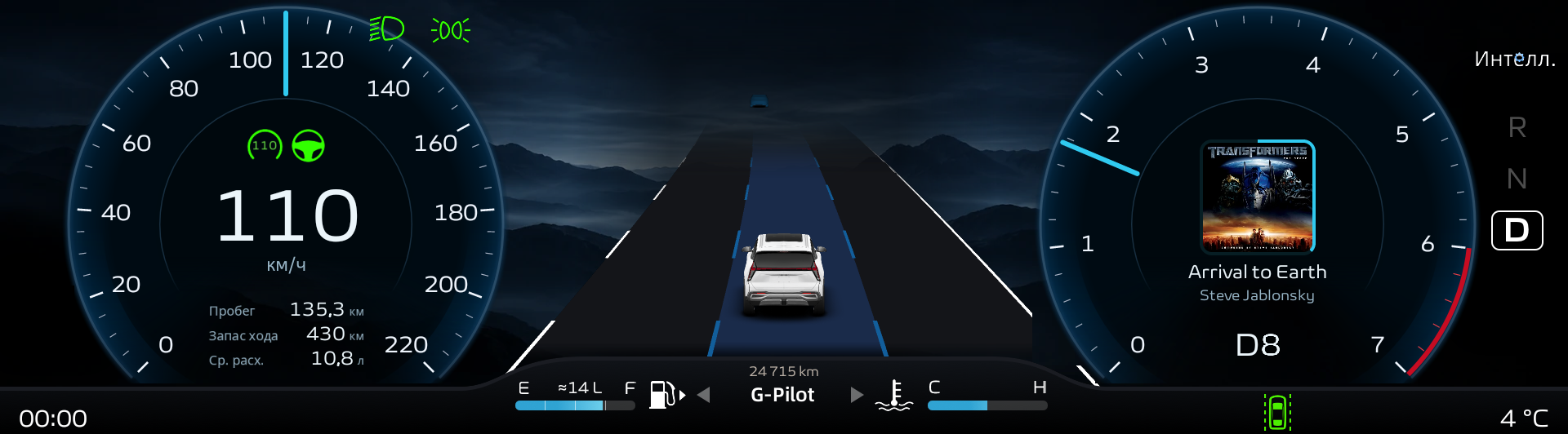
Custom panel, media and stock G-Pilot · vehicle capture, 1.1.14 · 16 Nov 2026.
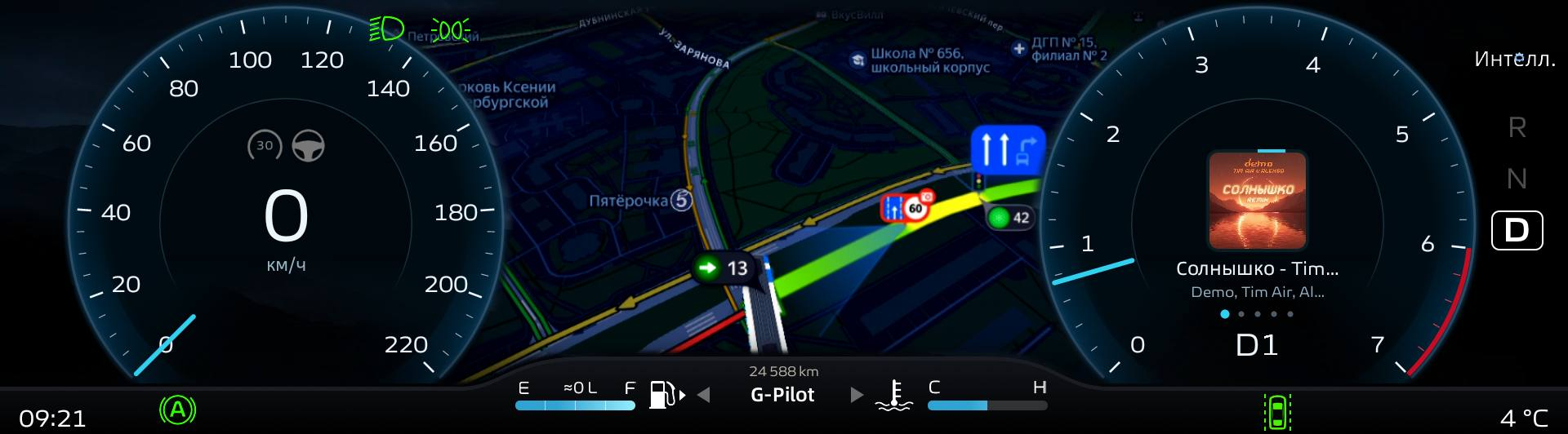
The second CarPlay screen with Yandex Maps and media.
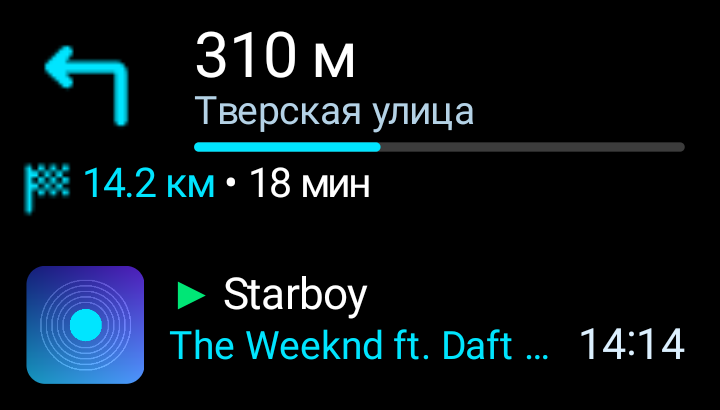
Custom navigation with the next turn, street, distance and media.
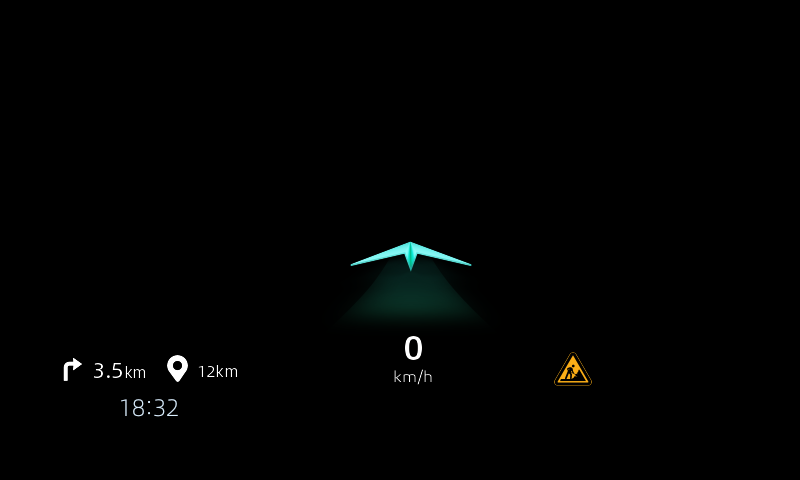
CarPlay navigation guidance in the original head-up display layout.
CHANGELOG
Changes since 1.1.0
All accumulated improvements since the release version. Home checks have passed; vehicle verification is still required.
Three configurable rows below the speed, trip or reset-based readings, optional labels and page markers. The selected page is remembered between launches; left-side labels are larger.
Track details and available artwork from head-unit players using Android MediaSession, including Murglar. Larger cluster artwork and improved artwork updates. CarPlay keeps priority; GeeGeek does not switch the audio source.
A main-screen height fix for firmware 418 preserves the cluster map. The patch, GeeGeek reconnection after services return, and protection against stale vehicle events have been improved.
Image scale, contrast and the manoeuvre banner are grouped in a separate dialog. Gear buttons open panel and map settings. These adjust the image, not the actual 2GIS map zoom.
Main pages use the full height again; bottom controls can scroll above the climate bar. Dialogs stay clear of it. Steering-wheel assignment dialogs and the active Plus section are more compact.
Support for a verified system-library variant covers the custom panel, trip readings and turn-signal sounds. The app-manager entry from third-party launchers has also been improved. Vehicle verification is still required.
One TXT/ZIP export flow: head-unit storage, a chosen folder or sharing to another app. Folder reuse where supported and saved-file verification. Expanded CarPlay ZIP and separate QNX diagnostics.
ROADMAP
Plans evolve with testing and feedback. They do not promise a date or the exact contents of the next release.
The code is prepared. The next step is verification in a real vehicle.
Verify Murglar, other players, artwork and CarPlay priority on the actual HUD and cluster.
Verify full main-screen height while keeping the cluster map.
Verify fuel, distance and turn-signal sounds on the affected head-unit versions.
Scrolling above the climate bar, dialogs, ZIP and USB export, plus the app manager in third-party launchers.
Verify GeeGeek reconnects and restores saved pages after normal vehicle sleep.
Reported cases; fixes to the underlying causes have not yet been confirmed.
In some cases, a route disappears when planned on the phone and handed over to CarPlay. The cause and a reliable fix have not yet been confirmed.
The stock navigation marker on the HUD can briefly flicker. There is no confirmed safe fix yet.
Isolated freezes and corrupted second-screen images have been reported. Stale-frame protection exists, but the cause of decoder failures has not been confirmed fixed.
Investigating feasibility and looking for a confirmed solution.
Investigating the correct temperature source. The display is temporarily hidden because all four values were zero; pressure remains available.
No confirmed method for actual map zoom yet. Active vehicle experiments are stopped; research continues off-vehicle.
Investigating data available from iPhone navigation apps. There is no ready data channel for the HUD and cluster yet.
Separate future steps, with no promised dates.
To be revisited after verifying the actual hotspot mechanism. The experimental setting is hidden from normal settings.
A separate future app release. This website’s RU/ENG switch does not change the language of the installed APK.
GG-Anchor remains a separate experiment and is disabled. A permanent mode is not ready yet.
Further adaptation requires owners of those vehicles and separate compatibility checks.
Join the community and choose how to support the project.
Support GeeGeek from Russia through our Telegram bot.
Support via the botApp discussions, news, questions and feedback from club members.
Join the groupTo support the project from outside Russia, use Boosty.
Support via Boosty